An alarm clock for iPhone

Alarms that make sure you're up.

Kloqlee rings through the lock screen at full volume, even with the phone on silent, and it can ask you to do something before it stops.

Coming soon to the App Store For iPhone, iOS 26 and later

There's no theme to pick: every screen sits under the sky of its hour. This page does too. Drag through the day.

06:45
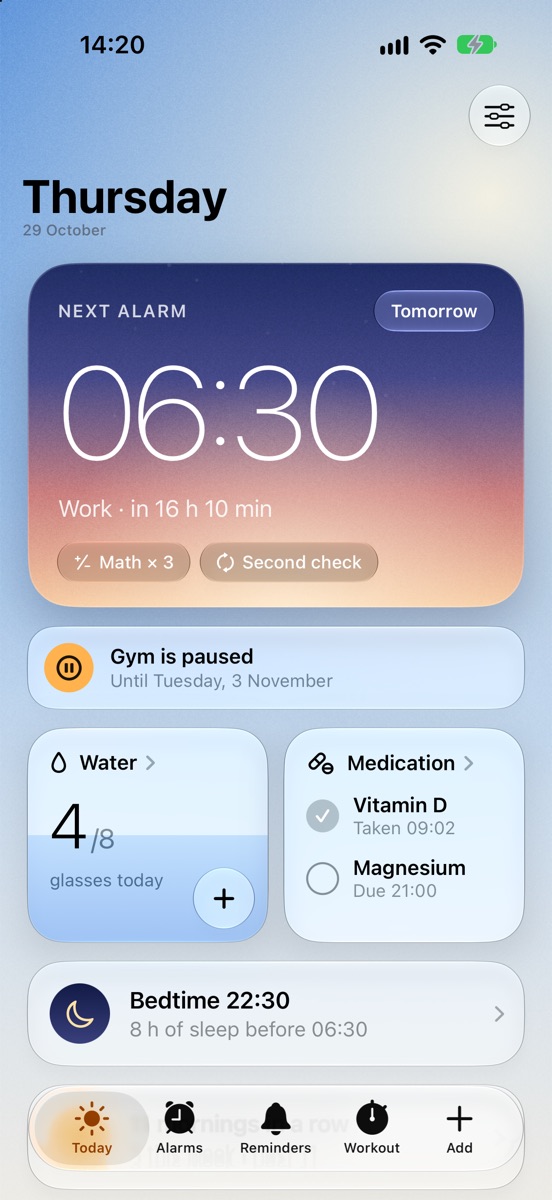
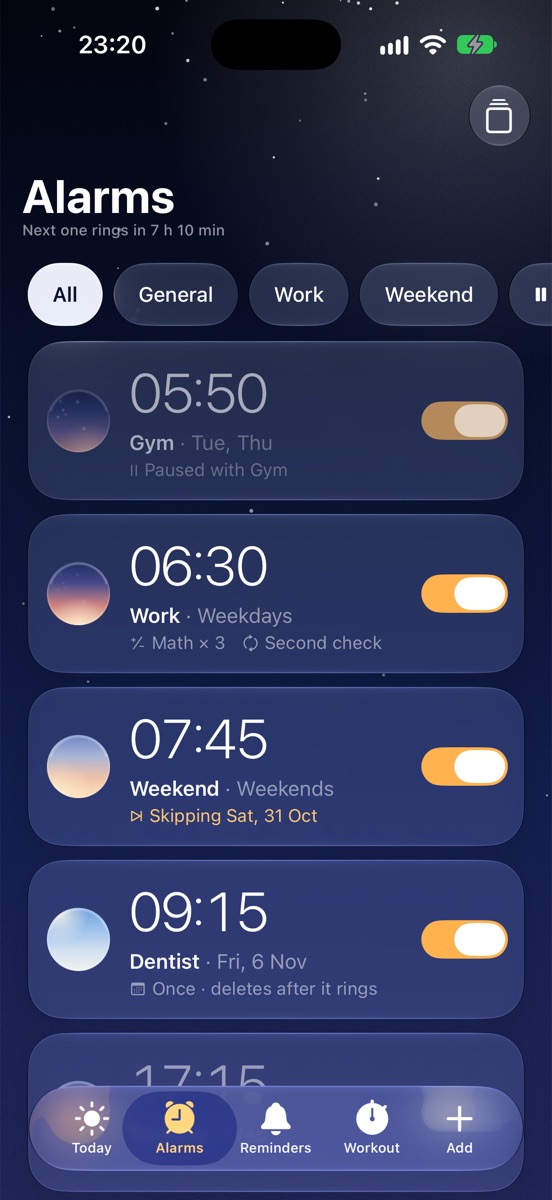
Kloqlee's Today screen by day: the next alarm at 06:30 against a dawn sky, water and medication, and bedtime. Kloqlee's alarms at night, each with a small disc of the sky it rings under.

Missions

It won't take no for an answer.

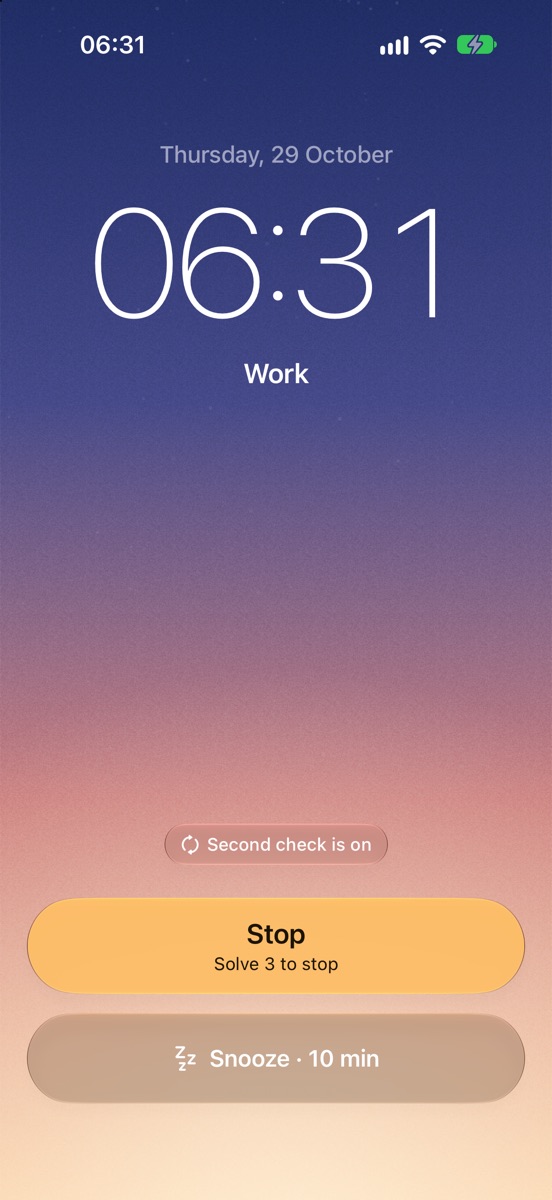
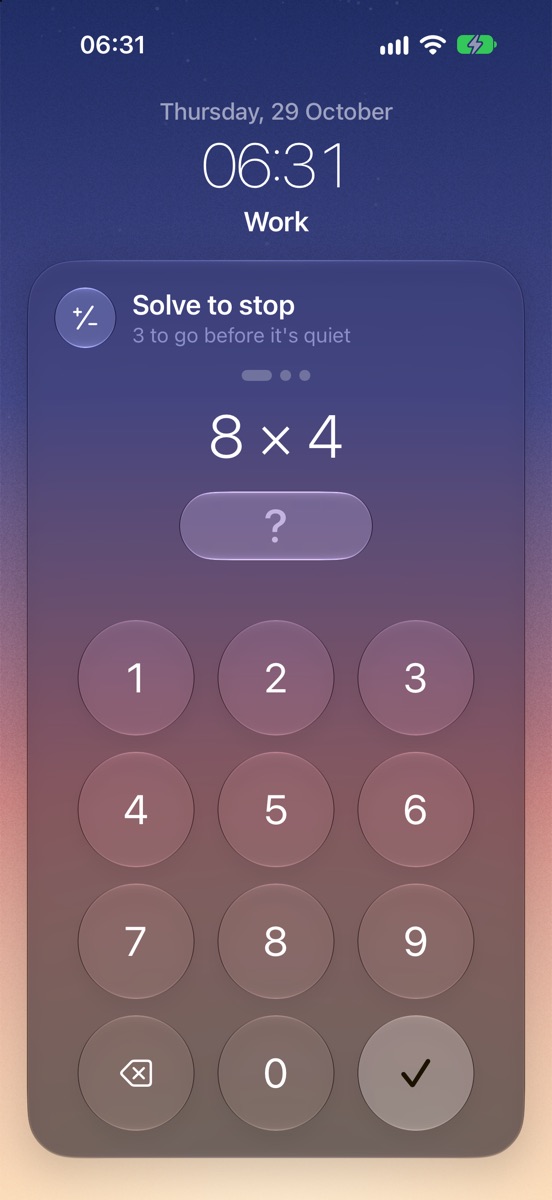
Before it stops, an alarm can ask for a mission: a few sums, a number to remember, a walk, a good shake, or a code you stuck somewhere you have to get up to reach. Snoozing needs the mission too.

Put two on one alarm — the sums in bed, then the walk to the code. And if a sensor gives nothing, the way out is a sum, never a free pass.

  • Maths
  • Remember a number
  • Walk
  • Shake
  • Scan a code
An alarm ringing at 06:31: Stop asks for three sums, Snooze waits ten minutes.
The maths mission: 8 × 4, with a keypad, three to go before it's quiet.

Alarms

Every alarm, under its own sky.

The list shows each alarm against the sky it will ring under. Group alarms into categories and pause one while you're away — it comes back by itself, whether or not you open the app.

Skip a single morning, or every public holiday. A warning appears when an alarm lands inside something on your calendar.

The alarm list at night: a paused gym alarm, work on weekdays with a maths mission and a second check, a weekend alarm skipping Saturday.

Water & medication

The rest of the day, beside the alarms.

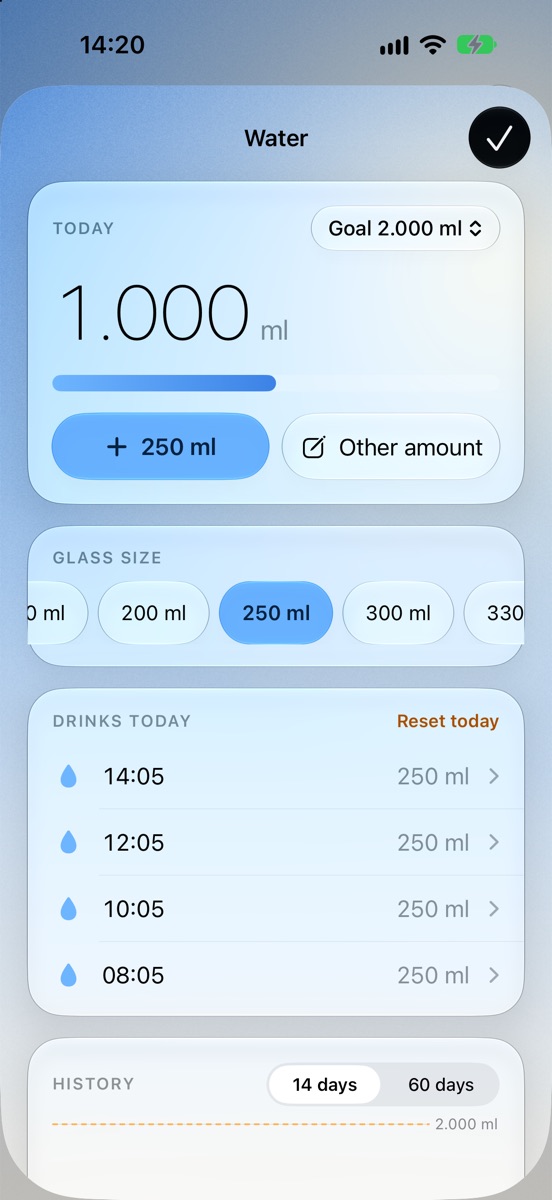
Reminders that keep asking until they're answered. Log a glass in the size you actually drink from, set the goal with a tap, fix a drink you logged wrong, and see the last two months against your goal.

Doses tick off from the notification itself, and today's list keeps every one so it can be undone.

The water screen: 1,000 ml of a 2,000 ml goal, glass sizes from 150 ml, and today's drinks with their times.

Bedtime

A bedtime that counts back from your alarm.

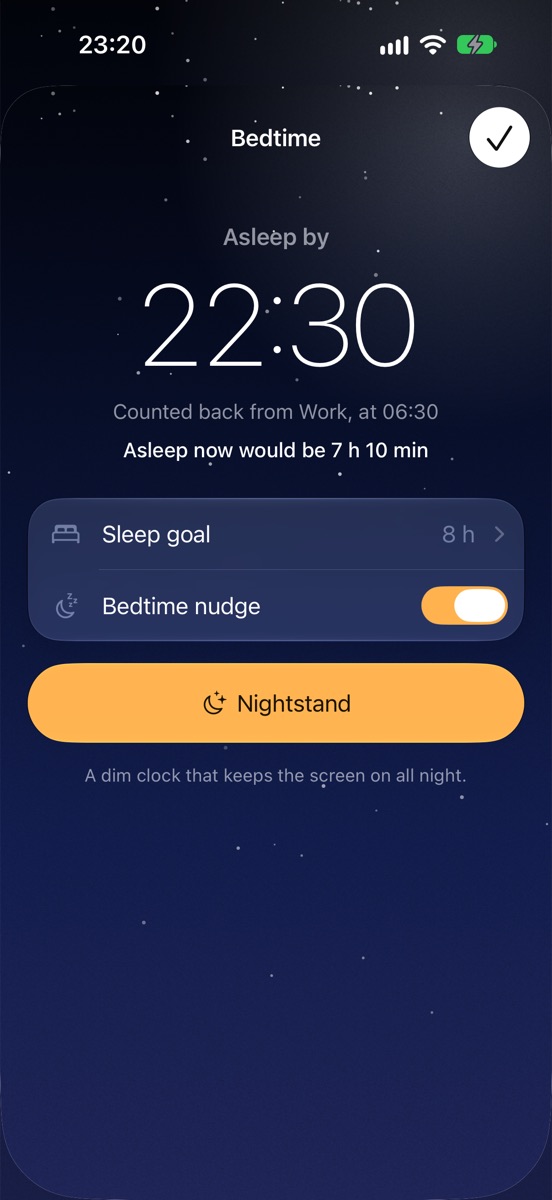
Say how much sleep you want, and Kloqlee works out when to be asleep from the alarm you'll actually wake to — and nudges you when it's time to wind down.

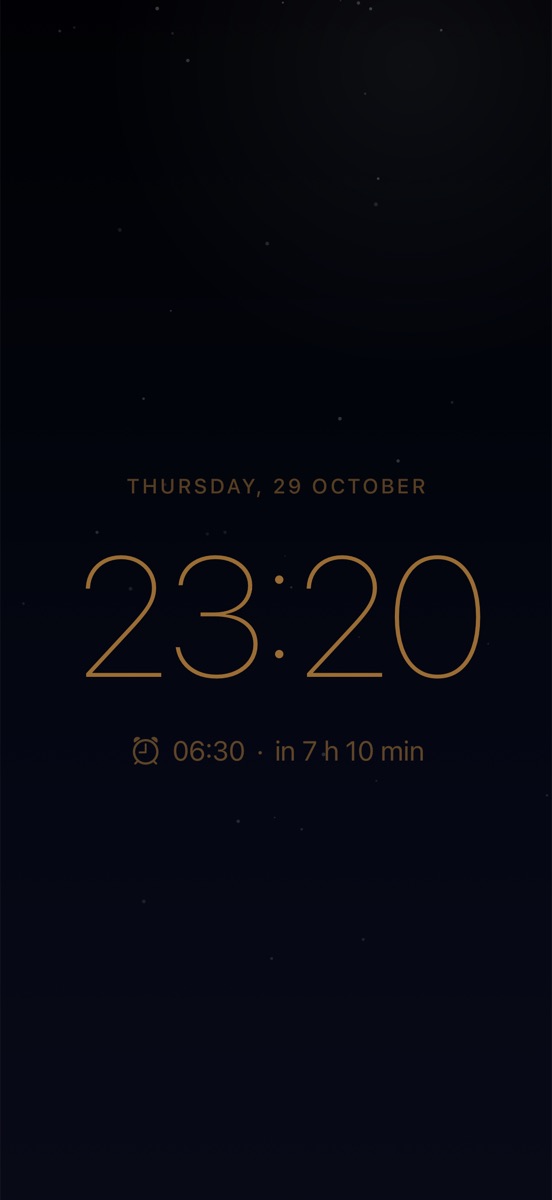
At night, the nightstand turns the phone into a dim amber clock. It drifts a little each minute so nothing burns in, dims with a drag, and gives the screen its brightness back when you leave it.

Bedtime: asleep by 22:30, counted back from the 06:30 work alarm.
The nightstand: 23:20 in dim amber over a dark sky, with the 06:30 alarm counting down.

Your mornings

Mornings, counted honestly.

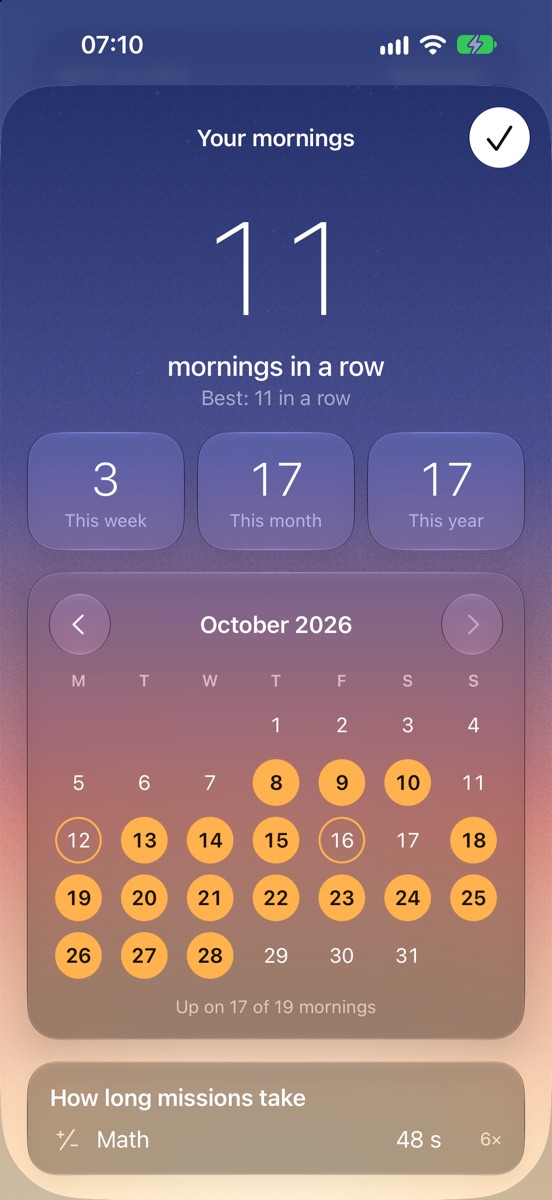
Only wake-up alarms count — not the one that reminds you to call the bank. A morning counts once you've stopped one, in the app or on the lock screen, and three alarms on one morning still make one.

The month shows the mornings you were up, and rings the ones you weren't.

Your mornings: eleven in a row, and October with the mornings you were up filled in amber.

Yours, on your phone

No account. No server. Nothing to sell.

Everything Kloqlee knows stays on your iPhone. The privacy policy says so in detail.

Nothing uploadedNo account, no advertising, no analytics. There is no Kloqlee server for anything to go to.
One request, at mostSkip public holidays and it asks for your country's list — a country code and a year. Otherwise it works offline.
Pro, onceWaking up is free. Pro is one payment, not a subscription. Nine languages.

Support

An alarm did something you didn't expect?

Write to support@kloqlee.com. Say which iPhone and which iOS version, and what the alarm was set to do.